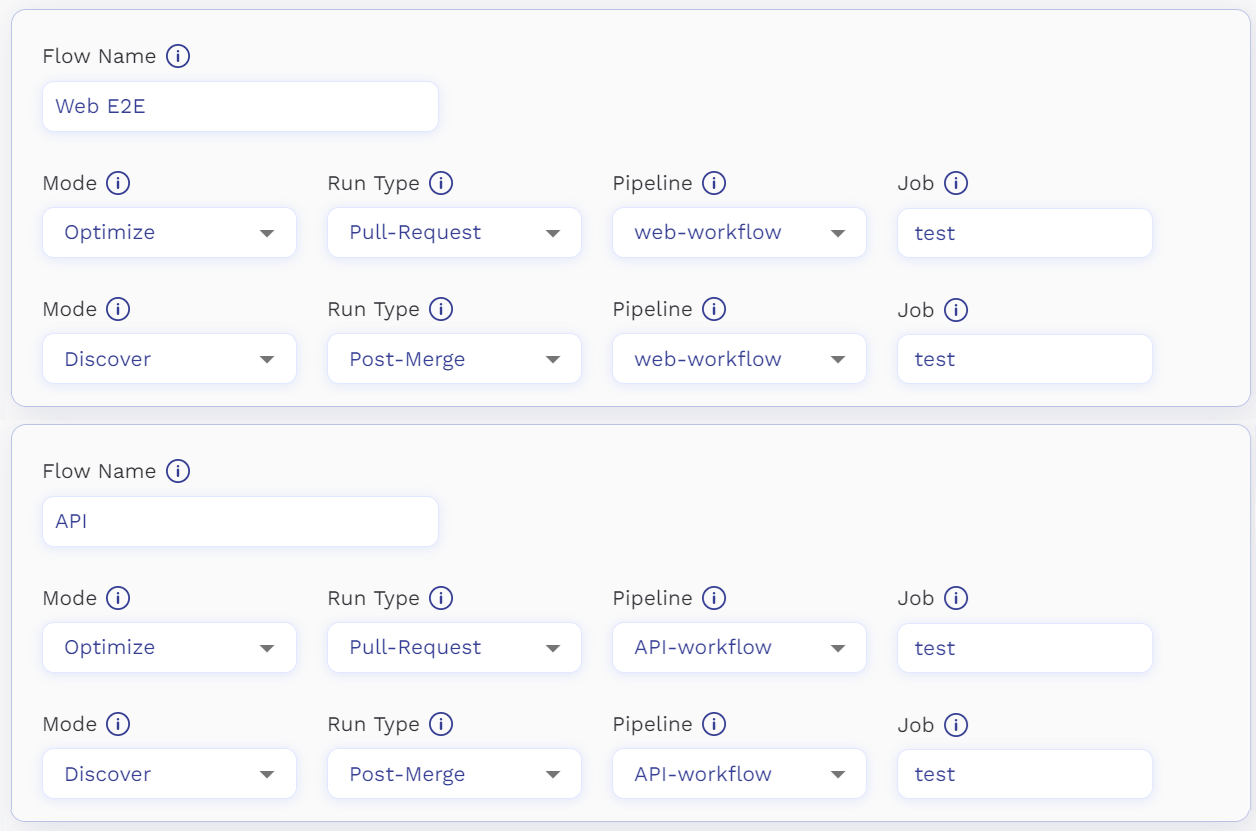
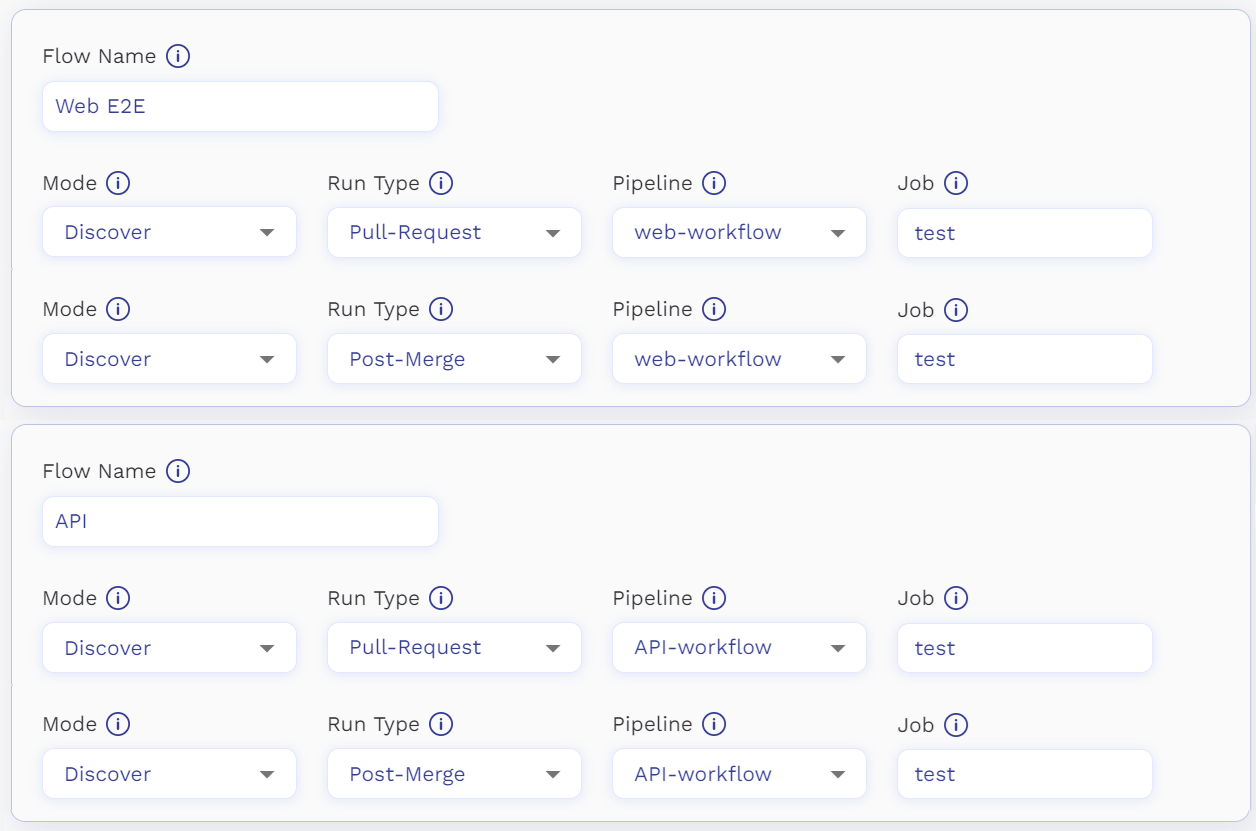
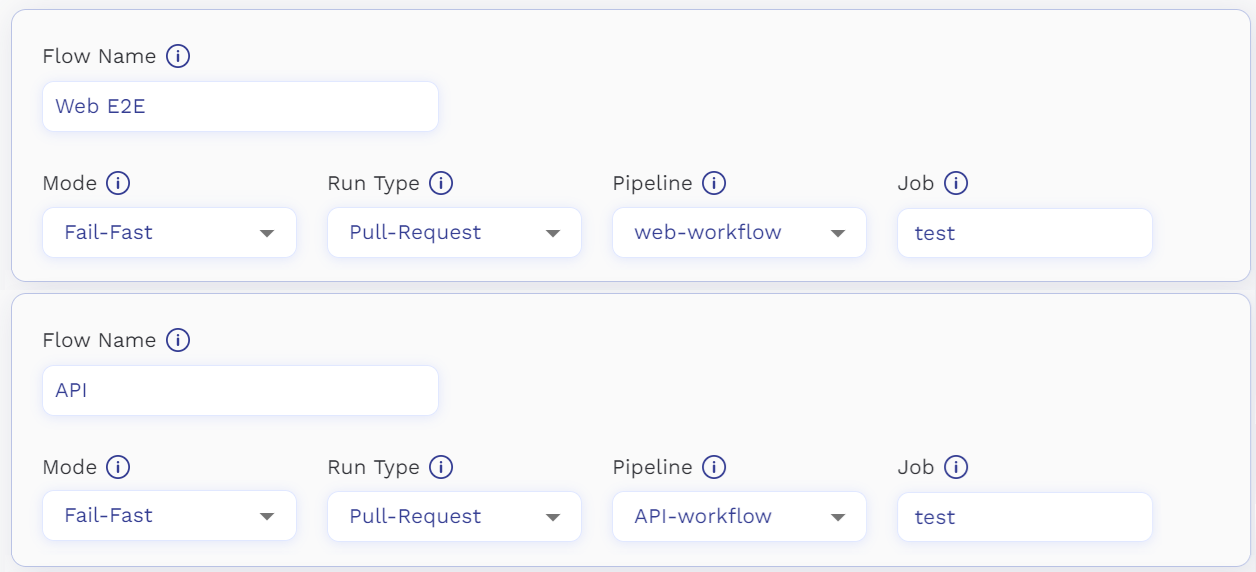
# About
## Welcome to Redefine 👋🏽
Redefine is a CI optimization platform that accelerates software development and cuts CI costs with just one click.
## Who can benefit from Redefine? 🧑🏽💻
Redefine is designed for developers looking to save time and money by running only the relevant tests based on their code change.
## What is Redefine?⏳
Redefine analyzes code changes, coding patterns, and test results to determine which tests are relevant for each testing cycle. This reduces the number of tests needed per testing run; allows you to detect bugs earlier; and to deploy updated, higher-quality code in a fraction of the time.
## How does Redefine work? 🧠
Redefine utilizes a machine learning (ML) model to optimize the CI process by selectively running tests based on their relevancy. The platform learns from code changes and test results to train a test selection model that predicts the most relevant tests for each new code change.
For additional information, please refer to the [documentation page](/welcome-to-redefine/how-does-it-work).
# Quick Start ⏱️
## Install
Set up the Redefine CLI tool in your CI environment by copy-pasting the code below.
{% tabs %}
{% tab title="Pip Package Installer" %}
```bash
pip install -U redefine
```
{% endtab %}
{% endtabs %}
{% hint style="info" %}
The Redefine CLI tool supports Python 3.6+ and is currently only available for CI environments, not the local developer's environment.
{% endhint %}
## Configure
#### Set up the authentication key
Store the Redefine authentication key in your CI system by following the recommended best practices for your specific CI platform: [GitHub Actions](https://docs.github.com/en/actions/security-guides/encrypted-secrets), [GitLab CI](https://docs.gitlab.com/ee/ci/secrets/#use-vault-secrets-in-a-ci-job), [Jenkins](https://www.jenkins.io/doc/developer/security/secrets/), [CircleCI](https://circleci.com/docs/security-recommendations/?utm_source=google\&utm_medium=sem\&utm_campaign=sem-google-dg--emea-en-dsa-tROAS-auth-brand\&utm_term=g_-c__dsa\&utm_content=\&gclid=CjwKCAjwo7iiBhAEEiwAsIxQEa7XGK25SIOM9uF6QmG77SjFOvDx-bFpR12qn1d_aXJ3ZxC2d_l5ThoCcBsQAvD_BwE), [Buildkite](https://buildkite.com/docs/pipelines/secrets), or [TeamCity](https://www.jetbrains.com/help/teamcity/security-notes.html#Recommended+Security+Practices). Once stored, you can export the authentication key to the Redefine CLI by setting the environment variable as `REDEFINE_AUTH`. This ensures that the CLI can access the authentication key securely and use it for authentication purposes.
{% hint style="info" %}
If you haven't received your Redefine credentials yet, please reach out to us at , We'd be happy to assist you!
{% endhint %}
#### Additional Configurations
{% hint style="info" %}
Check out [Configuration Parameters](/configuration/configuration-parameters) for additional configuration options.
{% endhint %}
## Verify
Once Redefine has been installed and configured, make sure that everything is working properly by running the `verify` command. This command verifies whether your CI environment is compatible with Redefine, and returns a success message if all is good or an error message detailing any issues that need fixing. To run the command, follow these steps:
{% tabs %}
{% tab title="Pytest" %}
```bash
redefine verify --pytest
```
{% endtab %}
{% tab title="Cypress" %}
```bash
redefine verify --cypress
```
{% endtab %}
{% tab title="Mocha" %}
```bash
redefine verify --mocha
```
{% endtab %}
{% endtabs %}
{% hint style="info" %}
For more information on successful verification output and examples of failure cases, check out [Verification Examples](/welcome-to-redefine/quick-start/verification-examples).
{% endhint %}
{% hint style="info" %}
For a full list of error messages and resolutions, see [Verify Troubleshooting](/troubleshooting/verify-troubleshooting).
{% endhint %}
## Run in Discover Mode
With Discover mode, Redefine analyzes your coding patterns and test results to create the initial test optimization model. To start the discovery process, simply replace the `verify` command from the previous step with the following command:
{% tabs %}
{% tab title="Pytest" %}
```bash
redefine install --discover --pytest
```
{% endtab %}
{% tab title="Cypress" %}
```bash
redefine install --discover --cypress
```
{% hint style="info" %}
If you are running Cypress using the flags `--project` or `--config-file`, Please add it to the 'redefine start' command as well.
For example:
```bash
redefine install --discover --cypress --project /path/to/project
redefine install --discover --cypress --config-file /path/to/file
```
{% endhint %}
{% endtab %}
{% tab title="Mocha" %}
```
redefine install --discover --mocha
```
{% endtab %}
{% endtabs %}
{% hint style="info" %}
For more information about selection modes, please see [Selection Modes](/configuration/selection-modes).
{% endhint %}
## Examples
The following examples show the final Redefine for development environments setup using `pytest`. This gives an idea of what your configuration should look like once everything is in place.
{% tabs %}
{% tab title="Github Actions" %}
```
- name: Redefine GitHub Action
id: run_redefine
uses: redefinedev/redefine-action@main
with:
auth: ${{ secrets.REDEFINE_AUTH_KEY }}
testing-framework: pytest
mode: discover
- name: Test with pytest
id: pytest
run: pytest tests
```
For all the GitHub Action options see the action's [docs](https://github.com/marketplace/actions/redefine-action).
{% endtab %}
{% tab title="Jenkins" %}
{% endtab %}
{% tab title="Gitlab CI" %}
```yaml
id_tokens:
VAULT_ID_TOKEN:
aud: https://gitlab.com
secrets:
REDEFINE_AUTH:
vault: production/redefine/auth_key@ops
token: $REDEFINE_AUTH
stage: test
script:
- pip install -U redefine
- redefine install --discover --pytest
- pytest tests
```
{% endtab %}
{% tab title="Buildkite" %}
```yaml
steps:
- label: "run pytest tests with redefine"
command: |
# redefine expects an environment variable named REDEDINE_AUTH
# check the documentation on how to use a secret in buildkite: https://buildkite.com/docs/pipelines/secrets
export REDEFINE_AUTH=
pip install -U redefine
redefine install --discover --pytest
pytest tests
```
{% endtab %}
{% endtabs %}
{% hint style="success" %}
**Tracking the discovery progress**
Monitor the progress of the discovery process and verify the data using the [Redefine Onboarding Wizard](https://app.redefine.dev/onboarding), which offers a user-friendly way to track the process and ensure accurate results.
{% endhint %}
[^1]:
# Verification Examples
The example below shows a successful run of the Redefine `verify` command, as well as two failure cases to give you an idea of what might go wrong during the verification process:
{% tabs %}
{% tab title="Successful" %}
```bash
==================================================
Redefine Verifier
==================================================
➤ Environment Verifications:
✓ OS: linux
i CI Platform: JENKINS
✓ CI Type: ci_run_id (env name: BUILD_TAG): build-tag=123
✓ CI Type: pipeline_name (env name: JOB_NAME): job-name
✓ CI Type: job_name (env name: STAGE_NAME): stage-name
✓ CI Type: git_path (env name: WORKSPACE): /home/user/project
✓ CI Type: source_branch (env name: GIT_BRANCH): my_git_branch
✓ Redefine Auth: Successfully generated authentication token
✓ Server Access: Successfully connected to redefine server
➤ Python Verifications:
✓ Python Version: 3.10.6
✓ Pytest Version: 7.0.1
✓ Python Packages: Found 349 packages installed
i Python Packages:
~ Python Packages: Package `pytest-6` is not officially supported
~ Python Packages: Package `pytest-durations` is not officially supported
i Redefine Requirement:
i Redefine Requirements: Redefine pytest plugin will install coralogix-logger version: <3.0.0,>=2.0.5
~ Coralogix Requirements: Found the python package `coralogix-logger` is installed,if you encounter any issues, make sure to set `redefine config set pytest_coralogix_disabled=true`
➤ Git Verifications:
✓ Git: Git: Successfully found git
✓ Git Repository: /home/user/project
✓ Git Remote: Single remote found - origin
✓ Git Stable Branch: Stable Branch: main
✓ Git: Environment git verification passed for git repo: /home/user/project
```
{% endtab %}
{% tab title="Pytest Version Issue " %}
```bash
==================================================
Redefine Verifier
==================================================
➤ Environment Verifications:
✓ OS: linux
i CI Platform: JENKINS
✓ CI Type: ci_run_id (env name: BUILD_TAG): build-tag=123
✓ CI Type: pipeline_name (env name: JOB_NAME): job-name
✓ CI Type: job_name (env name: STAGE_NAME): stage-name
✓ CI Type: git_path (env name: WORKSPACE): /home/user/project
✓ CI Type: source_branch (env name: GIT_BRANCH): my_git_branch
✓ Redefine Auth: Successfully generated authentication token
✓ Server Access: Successfully connected to redefine server
➤ Python Verifications:
✓ Python Version: 3.10.6
✗ Pytest Version: Pytest is not installed or cannot be imported. The supported versions are 5.4.0 or higher.
! Pytest Version: Stopping after failure of check Pytest Version, next checks will not be executed not all checks were executed
➤ Git Verifications:
✓ Git: Git: Successfully found git
✓ Git Repository: /home/user/project
✓ Git Remote: Single remote found - origin
✓ Git Stable Branch: Stable Branch: main
✓ Git: Environment git verification passed for git repo: /home/user/project
```
{% endtab %}
{% tab title="Missing Stable Branch" %}
```bash
==================================================
Redefine Verifier
==================================================
➤ Environment Verifications:
✓ OS: linux
i CI Platform: JENKINS
✓ CI Type: ci_run_id (env name: BUILD_TAG): build-tag=123
✓ CI Type: pipeline_name (env name: JOB_NAME): job-name
✓ CI Type: job_name (env name: STAGE_NAME): stage-name
✓ CI Type: git_path (env name: WORKSPACE): /home/user/project
✓ CI Type: source_branch (env name: GIT_BRANCH): my_git_branch
✓ Redefine Auth: Successfully generated authentication token
✓ Server Access: Successfully connected to redefine server
➤ Python Verifications:
✓ Python Version: 3.10.6
✓ Pytest Version: 7.0.1
✓ Python Packages: Found 349 packages installed
i Python Packages:
~ Python Packages: Package `pytest-6` is not officially supported
~ Python Packages: Package `pytest-durations` is not officially supported
i Redefine Requirement:
i Redefine Requirements: Redefine pytest plugin will install coralogix-logger version: <3.0.0,>=2.0.5
~ Coralogix Requirements: Found the python package `coralogix-logger` is installed,if you encounter any issues, make sure to set `redefine config set pytest_coralogix_disabled=true`
➤ Git Verifications:
✓ Git: Git: Successfully found git
✓ Git Repository: /home/user/project
✓ Git Remote: Single remote found - origin
✗ Git Stable Branch: No stable branches specified in config - Set the stable branch by running `redefine config set stable_branch=`
! Git Stable Branch: Stopping after failure of check Git Stable Branch, next checks will not be executed not all checks were executed
```
{% endtab %}
{% tab title="Missing REDEFINE\_AUTH - Cypress" %}
```
==================================================
Redefine Verifier
==================================================
➤ Environment Verifications:
✓ OS: linux
i CI Platform: JENKINS
✓ CI Type: ci_run_id (env name: BUILD_TAG): build-tag=123
✓ CI Type: pipeline_name (env name: JOB_NAME): job-name
✓ CI Type: job_name (env name: STAGE_NAME): stage-name
✓ CI Type: git_path (env name: WORKSPACE): /home/user/project
✓ CI Type: source_branch (env name: GIT_BRANCH): my_git_branch
✗ Redefine Auth: REDEFINE_AUTH environment variable not set - Make sure to export it correctly - Make sure to set it with the API_KEY you were provided by Redefine.dev If you haven't, please contact us at support@redefine.dev
✗ Server Access: Unable to connect to redefine server - Make sure you have access to redefine.dev and its sub-domains, and outgoing rule for port 50500
➤ Git Verifications:
✓ Git: Git: Successfully found git
✓ Git Repository: /home/user/project
✓ Git Remote: Single remote found - origin
✓ Git Stable Branch: Stable Branch: main
✓ Git: Environment git verification passed for git repo: /home/user/project
➤ Node Verifications:
✓ Node Version: 20.1.0
✓ Npm Version: 9.6.4
✓ Npx Version: 9.6.4
✓ Cypress Version: 12.12.0
i Cypress Packages:
✓ Cypress plugins: All discovered cypress plugins are supported.
```
{% endtab %}
{% endtabs %}
# How Does It Work? 🔬
Redefine uses a machine learning model to prioritize tests, a process grounded in the innovative research of Predictive Test Selection. For further details on Predictive Test Selection, please see the [case study by Meta](https://engineering.fb.com/2018/11/21/developer-tools/predictive-test-selection/).
**Redefine's model is trained daily on more than 100 unique features (attributes)**, such as the specific **code changes**, the **author of the changes**, and their **relationship to each test**.\
### Decision Rules
Beyond its model, Redefine's decision engine also implements a set of rules to ensure an optimal developer experience, irrespective of the decisions made by the model.
#### Rerun Failed Tests Rule
To ensure an optimal debugging process of failed tests, any tests that failed on a specific git branch will be automatically included in the subsequent build. This approach is implemented to prioritize the best possible developer experience.
#### Skip Failures from the Main Branch Rule
To prevent feature branches from being blocked by failed tests that accidentally made their way into the main branch, Redefine will automatically ignore these tests until they pass. This is done by considering the starting point (base commit) of the feature branch. It's important to note that different failed tests may be considered based on whether the base commit is older or newer. By adapting in this way, Redefine ensures a smoother testing process and prevents feature branches from being blocked.
This is enabled by default in [Optimize](/configuration/selection-modes/optimize) mode, while in [Prioritize](/configuration/selection-modes/prioritize) and [Fail-Fast](/configuration/selection-modes/fail-fast) this rule is disabled by default. To change the default setting use the [skip\_known\_failures ](/configuration/configuration-parameters#skip_known_failures)configuration.
#### Skip Flaky Test Rule
To improve your developer experience and reduce flakiness in your CI, you can manually set up a rule to handle flaky tests. By using the [flaky\_filter\_threshold](/configuration/configuration-parameters#flaky_filter_threshold) configuration, you can specify a threshold above which tests that tend to be unreliable will be skipped.
If you want to see how each test is rated for its flakiness, you can visit the [Test Inspection Dashboard](https://app.redefine.dev/test_inspection). There, you can explore your tests and find out their respective flakiness scores.
#### Exploration Rule
Given that the test selection model is trained on historical test outcomes, any new tests will be automatically executed for up to several dozen builds. This exploration process is crucial for our model to gather sufficient information about the test, enabling it to predict its relevance with high accuracy.
{% hint style="warning" %}
**Test or Test-File Renaming/Moving**
When a test is renamed or moved to a different file, it will be treated as a new test. Consequently, Redefine will automatically execute the test without utilizing the test selection model.\
Therefore, it is important to exercise caution when dealing with large refactors. In such cases, it is highly recommended to switch Redefine mode to [Discover](/configuration/selection-modes/discover) before implementing a large-scale refactor that alters test signatures.
{% endhint %}
#### Test File Changed Rule
In case a test file is changed, it will automatically run in the next builds, even if other rules say to skip it. This ensures you can fix any issues with the test. So, even if there is a [#skip-failures-from-the-main-branch-rule](#skip-failures-from-the-main-branch-rule "mention") or a [#skip-flaky-test-rule](#skip-flaky-test-rule "mention"), this one takes priority to make sure tests are fixed and reliable.
# Install Command
The `redefine install` command is used to install the redefine plugin and enable redefine's functionality. It's important to note that the start command should be executed prior to running the tests.
### **Testing Framework**
The testing framework flag is a required field for successful redefine installation. It specifies the testing framework to be used for test execution.
To see the list of supported testing frameworks, refer to the documentation [Supported Technologies](/integrations/supported-technologies)
For example, running the following command would make use of the `pytest` testing framework:
```bash
redefine install --pytest --
```
### Selection Mode
The selection mode flag is a mandatory parameter for the start command. It specifies the relevant selection mode for the test execution.
The available selection modes are:
[`--optimize`](/configuration/selection-modes/optimize) , [`--discover`](/configuration/selection-modes/discover) , [`--prioritize`](/configuration/selection-modes/prioritize) , [`--fail-fast`](/configuration/selection-modes/fail-fast) , [`--worker`](/configuration/parallel-test-execution#workers)
For instance, executing the following command would employ the `discover` mode:
```bash
redefine install -- --discover
```
### Exit code
The `--exit-code` flag enhances error handling during installations by modifying the behavior of the start command to provide clear feedback in the event of issues.
By default, redefine allows pipelines and tests to continue running even in the presence of installation issues. However, this approach can lead to unintended outcomes, such as running all tests in the orchestrator within a remote-workers architecture or executing tests despite not aligning with the user's preferred timeframe.
To use the `--exit-code` flag, include it in the redefine start command as follows:
```bash
redefine install -- -- --exit-code
```
### Remote workers architecture specific flags
Certain flags are specifically relevant to the remote workers' architecture. These flags provide functionality tailored to this architecture.
To learn more about these flags and their usage, refer to the relevant documentation available at [Parallel Test Execution](/configuration/parallel-test-execution)
# Configuration Parameters
### confidence
The `confidence` configuration setting ensures test reliability by defining the level of confidence required before Redefine can stop the run. By tailoring the confidence level, you can effectively manage the trade-off between test completeness and time efficiency. Selecting a lower confidence level may reduce testing time but could increase risk, whereas a higher level is safer and has a lesser chance of missing a failed test but demands more time. Redefine recommends using the default setting.
**Type:** `enum`
**Options:** `high` / `normal` / `low`
**Default value:** `normal` - This setting offers a balanced approach between test thoroughness and time efficiency.
To set the confidence level, use the following command:
```bash
redefine config set confidence=
```
### min\_accuracy
The `min_accuracy` configuration acts as a safety measure against drops in accuracy. It ensures continuous test execution until the desired accuracy is achieved. This helps prevent scenarios of extended test duration or sudden infrastructure changes causing inadequate test coverage.
**Type:** `float` the range is \[0, 1]
**Default value:** `0` meaning do not use `min_accuracy`
To set the minimum accuracy, use the following command:
```bash
redefine config set min_accuracy=
```
### time\_limit
The time limit represents the maximum clock time for an optimized run, measured in seconds. It defines the overall duration of the testing phase from start to end. For example, to set a time limit of exactly 5 minutes, configure the value as 300 seconds.
Unlike the time budget, the time limit refers to the precise start-to-end time. If a run is expected to take 5 minutes with 3 parallel processes, the configured time limit should still be 300 seconds.
**Type:** `float`
**Default value:** `0`
To set the time limit, use the following command:
```bash
redefine config set time_limit=
```
### **flaky\_filter\_threshold**
The `flaky_filter_threshold` config is used to skip tests with a high flake rate, which is defined as the percentage of test runs in the last 30 days that were flaky. To skip tests based on flakiness, set the value of the`flaky_filter_threshold` to a number between 0.01 and 1, representing the maximum allowable flake rate as a percentage. For example, setting it to 0.15 would skip tests with a flake rate of 15% or higher.
**Type:** `float` the range is \[0, 1]
**Default value:** `1.0` meaning don't skip any tests
To set the value of the `flaky_filter_threshold`, run the following command:
```bash
redefine config set flaky_filter_threshold=
```
### report\_tests\_metadata
This config determines whether Redefine should send non-anonymized test metadata to the server. The test metadata includes information such as test and file names, and its purpose is to provide insights into the Test Inspection Dashboard. If this config is set to false, the test metadata will be anonymized and will not be sent to the server.
Note that this metadata is sent only for the tests and not for the code.
**Default value:** `true` (Tests metadata will be sent to Redefine's server for analysis).
To set the value of this config, use the following command:
```bash
redefine config set report_tests_metadata=
```
### slack\_bot\_enabled
To enable AI Slack Notifications, you should configure Redefine's Slack integration to send the messages from the CI.
**Type:** `boolean`
**Default value:** `false`
Run the following command before starting Redefine in your CI workflow:
```bash
redefine config set slack_bot_enabled=true
```
### disable\_openai
To disable the OpenAI integration within the AI Slack Notifications, you may configure the Slack bot to now share information with OpenAI.
**Type:** `boolean`
**Default value:** `false`
Run the following command before starting Redefine in your CI workflow:
```bash
redefine config set disable_openai=true
```
### file\_based\_prediction
To ensure the test execution order within each test file remains consistent, configure redefine to predict according to it.
**Type:** `boolean`
**Default value:** `false`
Run the following command before starting Redefine in your CI workflow:
```bash
redefine config set file_based_prediction=true
```
### skip\_known\_failures
To reduce developer friction and prevent all changes from being blocked until the failed tests are fixed, we should skip tests that have already failed on the main branch. This approach will streamline the development process and allow continuous progress even while addressing the failed tests.
**Type:** `boolean`
**Default value:** `true` for **Optimize Mode**
**Default value:** `false` for **Fail-Fast Mode**
**Default value:** `false` for **Prioritize Mode**
To set the value of this config, use the following command:
```bash
redefine config set skip_known_failures=true
```
### auto\_uninstall
By default, Redefine automatically uninstalls after the first test executions to avoid impact for unrelated test executions. However, in certain scenarios, it may be necessary to keep the installation continuous for multiple consecutive test executions to ensure a valid Redefine installation. In such cases, it is recommended to modify the default behavior and set the `auto_uninstall` value to false.
**Type:** `boolean`
**default value:** `true`
```bash
redefine config set auto_uninstall=false
```
### run\_tests\_on\_file\_change
This configuration controls whether Redefine automatically executes tests within a changed test file. By default, this configuration is enabled (true) to ensure running tests after changing them.
**Type:** boolean
**Default value:** true\
\
To set the value of this config, use the following command:
```bash
redefine config set run_tests_on_file_change=false
```
### stable\_branch
The stable branch is the name of the main working branch in the repository. For example, you can use `main` as the stable branch name.
**Type:** `string`
To set the stable branch, run the following command:
```bash
redefine config set stable_branch=
```
# Parallel Test Execution
Parallel test execution is a widely adopted strategy designed to speed up the execution of large test suites that otherwise would require considerable time to execute.
When running tests in parallel, organizations will spin up multiple CI machines, distribute the tests across these instances and run the tests using the testing framework of choice.
For example, consider the following code running pytest in parallel on 8 machines in GitHub Actions using the `pytest-split` plugin:
```yaml
name: Redefine
on:
pull_request:
branches: [ "main" ]
jobs:
worker:
runs-on: ubuntu-latest
strategy:
matrix:
# Running 8 workers
index: [1,1,1,1,1,1,1,1]
steps:
- uses: actions/checkout@v3
- name: Set up Python
uses: actions/setup-python@v4
with:
python-version: 3.11
- name: Install dependencies
run: pip install -r requirements.txt
- name: Run pytest
run: pytest --splits ${{ strategy.job-total }} --group ${{ strategy.job-index }} -n auto tests/
```
Running tests in parallel means organizations can cut their testing time, but it also means running additional machines which increases the CI costs significantly.
## Redefine
Redefine enhances parallel test execution efficiency, yielding not only time savings for developers but also substantial reductions in CI-related costs. There are multiple supported parallel testing modes:
* [Redefine Parallel](/configuration/parallel-test-execution/redefine-parallel) - Optimal test distribution among parallel workers, delivered by Redefine.
* [Remote Workers](/configuration/parallel-test-execution/remote-workers) - an Orchestrator + Remote workers architecture, where the Orchestrator runs the prediction first, and the user distributes the tests to the testing machines.
# Redefine Parallel
Redefine Parallel is Redefine's method of optimizing test distribution across multiple machines. It allows you to run tests as though they are being executed on a single machine while Redefine manages the distribution.
This approach utilizes test duration and failure probability to ensure that the most relevant tests are always running in parallel.
## Install
Follow the instructions in the [Quick Start ⏱️](/welcome-to-redefine/quick-start)guide to install Redefine.
## Configure
### Configure a shared session ID
To use Redefine Parallel, it is important to configure a shared session ID between all testing machines. This allows Redefine to connect the prediction and the execution of the tests.
Follow these steps to configure the shared Session ID:
1. It is crucial to generate the session ID once and provide it to all testing machines, to avoid misalignment.
2. You can use the CLI command `redefine get session_id` to generate the session ID, which represents the current session.
3. Export the environment variable REDEFINE\_SESSION\_ID with the same value on all test-runners.
## Verify
Make sure that the verify command ends with success on all testing machines -
```bash
redefine verify --
```
Follow the [Quick Start ⏱️](/welcome-to-redefine/quick-start#verify) guide for instructions and troubleshooting.
## Run
When executing the `redefine install` command, you need to pass the number of machines and the index of each machine to the Redefine command in the following format:
{% tabs %}
{% tab title="Pytest" %}
```bash
redefine install --pytest -- --splits --group
pytest -n auto tests/
```
{% endtab %}
{% tab title="Cypress" %}
```bash
redefine install --cypress -- --splits --group
npx run cypress
```
{% endtab %}
{% tab title="Mocha" %}
```bash
redefine install --mocha -- --splits --group
npm run test
```
{% endtab %}
{% endtabs %}
# Remote Workers
The Remote Workers Configuration is a parallelism technique in Continuous Integration (CI) testing environment, where testing operations are not performed on the main **orchestrator**, but are delegated across various worker nodes. These worker nodes act as remote workers, enabling the simultaneous execution of multiple tests, thereby reducing feedback time.
In this configuration, the **orchestrator** (main node) is responsible for distributing tests among the **worker nodes**. Each worker node independently executes the assigned tests, ensuring quicker CI test execution.
## Install
Follow the instructions in the [Quick Start ⏱️](/welcome-to-redefine/quick-start)guide to install Redefine.
## Configure
### Basic Configurations
Configure the relevant configurations on the orchestrator following the instructions in the quick start guide. Note that configuration changes on worker nodes are not required for this process.
### Configure a shared session ID
To use Redefine with the remote worker architecture, it is important to configure a shared session ID between the orchestrator and the worker nodes. This allows Redefine to connect the prediction and the execution of the tests.
Follow these steps to configure the shared Session ID:
1. It is crucial to generate the session ID once and provide it to both the orchestrator and worker nodes, to avoid misalignment between the orchestrator and the workers.
2. You can use the CLI command `redefine get session_id` to generate the session ID, which represents the current session.
3. Export the environment variable REDEFINE\_SESSION\_ID with the same value on both the orchestrator and each worker node.
```bash
export REDEFINE_SESSION_ID=$(redefine get session_id)
```
## Verify
Make sure that the verify command ends with success both for the orchestrator and the worker nodes, that will help ensure that the CI environment is valid for installation.
{% tabs %}
{% tab title="Orchestrator" %}
```bash
redefine verify --
```
{% endtab %}
{% tab title="Worker" %}
```bash
redefine verify -- --worker
```
{% endtab %}
{% endtabs %}
Follow the [Quick Start ⏱️](/welcome-to-redefine/quick-start#verify) guide for instructions and troubleshooting.
## Run
### Orchestrator
Execute the redefine predict command to receive an ordered list of tests, which would be saved to a file in the desired path without actually running the tests. Once you have the list, you should distribute the tests in the existing logic, ensuring you follow the specified order.
{% tabs %}
{% tab title="Pytest" %}
```bash
redefine predict --pytest -- --output-path="/file/path" --command="pytest tests"
export OPTIMAL_TESTS_LIST=$(cat /file/path)
# Use OPTIMAL_TESTS_LIST in your existing test distribution logic
# All specs will be ordered by priority in ,
# separated with a new-line ('\n').
```
{% endtab %}
{% tab title="Cypress" %}
```bash
redefine predict --cypress -- --output-path="/file/path" --command="cypress run"
export OPTIMAL_TESTS_LIST=$(cat /file/path)
# Use OPTIMAL_TESTS_LIST in your existing test distribution logic
# All specs will be ordered by priority in ,
# separated with a new-line ('\n').
```
{% endtab %}
{% tab title="Mocha" %}
```bash
redefine predict --mocha -- --output-path="/file/path" --command="npx mocha"
export OPTIMAL_TESTS_LIST=$(cat /file/path)
# Use OPTIMAL_TESTS_LIST in your existing test distribution logic
# All specs will be ordered by priority in ,
# separated with a new-line ('\n').
```
{% endtab %}
{% endtabs %}
### Workers
Run the `redefine install` command to run redefine using `--worker` as the selection mode.\
\
Following this, you can execute the specified tests that have been assigned to the worker.
{% tabs %}
{% tab title="Pytest" %}
```bash
redefine install --pytest --worker
# Run the tests assigned to the current worker
# based on the existing tests distribution logic
```
{% endtab %}
{% tab title="Cypress" %}
```bash
redefine install --cypress --worker
# Run the tests assigned to the current worker
# based on the existing tests distribution logic
```
{% endtab %}
{% tab title="Mocha" %}
```bash
redefine install --mocha --worker
# Run the tests assigned to the current worker
# based on the existing tests distribution logic
```
{% endtab %}
{% endtabs %}
{% hint style="warning" %}
#### **Maintain the test execution order**
After the orchestrator completes, an optimized test execution order is provided. This test execution order is a crucial part of our orchestrator's function. The orchestrator creates an optimized list that maps out how the tests should be run for the most efficient workflow. Change this order, and you could see a significant drop in efficiency and potential miss of important tests.\
\
Keep in mind, modifying the test order does more than just reduce efficiency — it could also compromise the accuracy of our test predictions. Therefore, it's essential to adhere to the initial order.
{% endhint %}
### Session check command
In Redefine, tests will only be executed until the [Broken mention](broken://pages/ukeQo52y77NM3cuhDJos) is reached. Any remaining tests will be automatically skipped. However, it's important to be aware that the setup and teardown processes may impose a significant overhead.
To mitigate this overhead, it is highly recommended to periodically check if the test execution exceeds the time limit. If the time limit is exceeded, no more tests should be executed.
To determine if the time limit is exceeded, use the following command:
{% tabs %}
{% tab title="Pytest" %}
```bash
# Make sure REDEFINE_SESSION_ID is available
if redefine get session_check; then
redefine install --pytest --worker
# Run the tests assigned to the current worker
fi
```
{% endtab %}
{% tab title="Cypress" %}
```bash
# Make sure REDEFINE_SESSION_ID is available
if redefine get session_check; then
redefine install --cypress --worker
# Run the tests assigned to the current worker
fi
```
{% endtab %}
{% tab title="Mocha" %}
```bash
# Make sure REDEFINE_SESSION_ID is available
if redefine get session_check; then
redefine install --mocha --worker
# Run the tests assigned to the current worker
fi
```
{% endtab %}
{% endtabs %}
{% hint style="warning" %}
This is especially important when iterating over a large list of tests, as the overhead may increase dramatically.
{% endhint %}
## Example
The example below shows a complete run with `pytest` running in [Optimize](/configuration/selection-modes/optimize) mode.
{% tabs %}
{% tab title="Orchestrator" %}
```bash
export REDEFINE_SESSION_ID=
redefine config set time_limit=300
redefine predict --pytest --optimize --output-path="/file/path" --command="pytest tests"
export OPTIMAL_TESTS_LIST=$(cat /file/path)
# Use OPTIMAL_TESTS_LIST in your existing tests distribution logic
```
{% endtab %}
{% tab title="Worker" %}
```bash
export REDEFINE_SESSION_ID=
redefine install --pytest --worker
# Run the tests assigned to the current worker
# based on the existing tests distribution logic
```
{% endtab %}
{% endtabs %}
# Delayed Workers and Reruns
The startup time of CI machines may experience delays due to the unavailability of machines or infrastructure issues. The worker that has been delayed will have a considerably shorter effective [Broken mention](broken://pages/ukeQo52y77NM3cuhDJos) compared to other workers. Consequently, there is a risk of important tests being missed.
Repeating the execution of a single worker can yield similar results.
### Worker Identifier
To address the issue of delays and potential missed tests due to CI machine unavailability or infrastructure issues, you can utilize the `worker_id` optional parameter.
To implement this solution, use the following command:
{% tabs %}
{% tab title="Pytest" %}
```bash
redefine install --pytest --worker --worker-id=$WORKER_ID
```
{% endtab %}
{% tab title="Cypress" %}
```bash
redefine install --cypress --worker --worker-id=$WORKER_ID
```
{% endtab %}
{% tab title="Mocha" %}
```bash
redefine install --mocha --worker --worker-id=$WORKER_ID
```
{% endtab %}
{% endtabs %}
Ensure that the `WORKER_ID` environment variable contains the worker identifier specific to your CI system.
#### Handling worker rerun
it's important to note that if you have repeated executions of a single worker without re-running the orchestrator, the effective time limit for each subsequent execution may be reduced to zero. To prevent this, you can include the rerun attempt as part of the `worker_id`.
Here's an example:
{% tabs %}
{% tab title="Pytest" %}
```bash
redefine install --pytest --worker --worker-id="${WORKER_ID}_${ATTEMPT}"
```
{% endtab %}
{% tab title="Cypress" %}
```bash
redefine install --cypress --worker --worker-id="${WORKER_ID}_${ATTEMPT}"
```
{% endtab %}
{% tab title="Mocha" %}
```bash
redefine install --mocha --worker --worker-id="${WORKER_ID}_${ATTEMPT}"
```
{% endtab %}
{% endtabs %}
In this case, make sure to set the `ATTEMPT` environment variable to the rerun attempt counter. This approach guarantees that each attempt is assigned a unique identifier, avoiding a zero effective time limit for repeated executions.
By implementing these strategies, you can mitigate delays, manage worker execution, and minimize the risk of missing important tests in your CI workflow.
# Selection Modes
Redefine offers four selection modes to optimize testing:
1. [Discover](/configuration/selection-modes/discover) mode collects data for improved predictions.
2. [Optimize](/configuration/selection-modes/optimize) mode runs relevant tests within a time budget.
3. [Fail-Fast](/configuration/selection-modes/fail-fast) mode stops CI runs if tests fail within the budget, or runs all tests if they pass.
4. [Prioritize](/configuration/selection-modes/prioritize) mode reorders tests for faster feedback, especially when integrated with Redefine Slack or a first-fail testing framework.
{% hint style="info" %}
To enhance your developer experience, we strongly recommend the use of [AI Slack Notifications](/integrations/ai-slack-notifications).
{% endhint %}
# Discover
In Discover mode, Redefine focuses on collecting data about your coding patterns and test results without altering test execution. This data is then used to enhance the accuracy of predictions in the machine learning model.
```bash
redefine install --discover --
```
# Optimize
In Optimize mode, Redefine optimizes your CI builds by selectively running tests that are related to code changes. This results in much quicker feedback from your CI processes and significantly better resource utilization. You can configure the desired [Configuration Parameters](/configuration/configuration-parameters#confidence) for the run; if it is not configured, Redefine will use the default confidence level.
```bash
redefine install --optimize --
```
{% hint style="warning" %}
#### **Optimize mode requires feedback**
In order to use the Redefine Optimize mode, the tests need to receive feedback from a Discover mode run at least once a day. This is because Optimize mode relies on the feedback collected by the Discover mode to validate its predictions. Without regular feedback from Discover mode, Optimize mode may not perform optimally, which could result in inaccurate predictions.
{% endhint %}
# Fail-Fast
In Fail-Fast mode, Redefine optimizes your CI builds by selectively running tests related to the code changes, similar to Optimize mode. These tests are executed until the specified [Configuration Parameters](/configuration/configuration-parameters#confidence) is reached. If the confidence level is not configured, Redefine will use the default level. If none of these tests fail within the given confidence level, the CI build proceeds to run the entire test suite to ensure full coverage. However, if any of the tests fail before reaching the confidence level, the build is halted immediately, providing early feedback on the introduced code changes.
\
This approach is suitable for those who cannot overlook even the slightest chance of missing a failed test. This leads to quicker feedback time on test failures with better resource utilization on failed CI builds. However, compared to Optimize Mode, resource utilization may not be as optimal.
```bash
redefine install --fail-fast --
```
# Prioritize
In Prioritize mode, Redefine reorders the tests based on their relevance, enabling faster feedback when used in conjunction with the [AI Slack Notifications](/integrations/ai-slack-notifications). This prioritization ensures that critical or high-priority tests are executed earlier in the testing process, which results in quicker feedback time for developers.
```bash
redefine install --prioritize --
```
# CI Platforms
Redefine Supports the following CI Platforms:
.gif?alt=media&token=780c4d3a-ed87-4792-bc28-897439e90bb6)